HPC
What's the Difference Between GDDR and DDR Memory?
November 26, 2025
7 min read

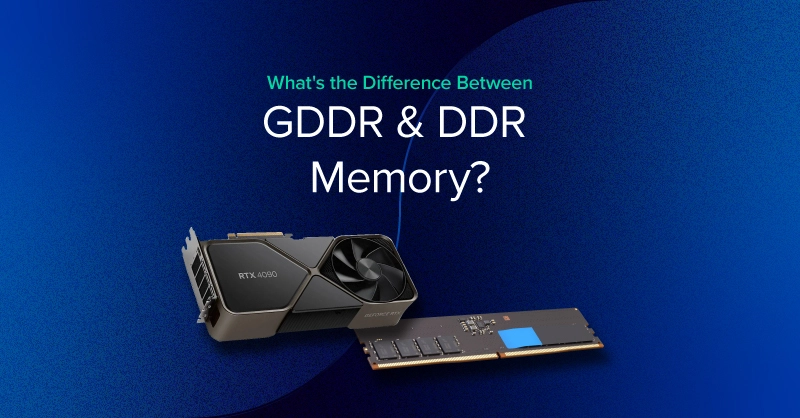
DDR stands for Double Data Rate, and GDDR stands for Graphics Double Data Rate. However, DDR and GDDR are completely different technologies—they don't share the same standards for speed, bandwidth, or other specifications. DDR is developed for CPUs (and CISC architectures), while GDDR is designed for graphics (and RISC architectures).
The full name GDDR7 SDRAM stands for Graphics Double Data Rate Type 7, Synchronous Dynamic Random-access Memory. Both DDR and GDDR use SDRAM—the foundation of memory used in desktops (UDIMM DDR5), in laptops (SODIMM DDR5), low-power devices (LPDDR5), and graphics processing units (GDDR6, GDDR6X, and GDDR7 in both NVIDIA and AMD GPUs).
Recent developments have introduced unified memory, a software abstraction that allows both CPU and GPU to share a memory pool. Popularized by Apple Macs, AMD APUs, and NVIDIA Grace, unified memory can use DDR or HBM memory. Unified memory is now used in the popular NVIDIA DGX Spark.
DDR (Double Data Rate) memory is the primary system RAM used by CPUs. Unlike GDDR (optimized for bandwidth), DDR is designed for low latency, ensuring the CPU can access data and instructions as quickly and responsively as possible. This makes DDR ideal for running applications, managing the operating system, handling interrupts, and coordinating GPU workloads.
While CPU memory doesn’t reach the extreme transfer rates of GDDR or HBM, its strength lies in its ability to respond rapidly to a wide variety of small, random access patterns typical of general-purpose computing.
These design choices ensure the CPU is never waiting long for data it needs to execute instructions, manage threads, or coordinate system resources.
DDR provides several key benefits that directly affect everyday computing and workstation performance:
| DDR Generation | CAS Latency | Frequency | Absolute Latency |
| DDR4 | CL16 | 3200 MT/s | 10ns |
| DDR4 | CL18 | 3600 MT/s | 10ns |
| DDR5 | CL38 | 5200 MT/s | 14.6ns |
| DDR5 | CL40 | 6000 MT/s | 13.3ns |
| DDR5 | CL32 | 6400 MT/s | 10ns |
GDDR (Graphics Double Data Rate) is a memory architecture designed specifically for the high-bandwidth demands of modern GPUs. While it shares the SDRAM foundation with DDR system memory, GDDR is optimized for throughput, not latency. This makes it ideal for graphics rendering, massively parallel math operations, and data-heavy GPU compute tasks.
Unlike DDR, which prioritizes quick, low-latency access for CPUs, GPUs require extremely large amounts of data to be moved every second. GDDR achieves this by using wider buses, faster signaling, and higher sustained bandwidth, enabling GPUs to feed thousands of concurrent processing cores without stalling.
This design ensures that pixel data, textures, model parameters, and compute workloads flow to the GPU cores without bottlenecking performance.
Unified Memory is not a new memory type like DDR or GDDR. Instead, it is a shared memory architecture and software abstraction that allows the CPU and GPU to operate on the same memory space without requiring the application to manually copy data back and forth.
Unified Memory removes this explicit memory transfer bottleneck, where data must be copied from system RAM (DDR/LPDDR) to GPU VRAM (GDDR/HBM) before the GPU can process it. Unified Memory presents CPU RAM and GPU VRAM as a single, unified address space. Under the hood:
Unified Memory offers benefits in both development and real-world performance:
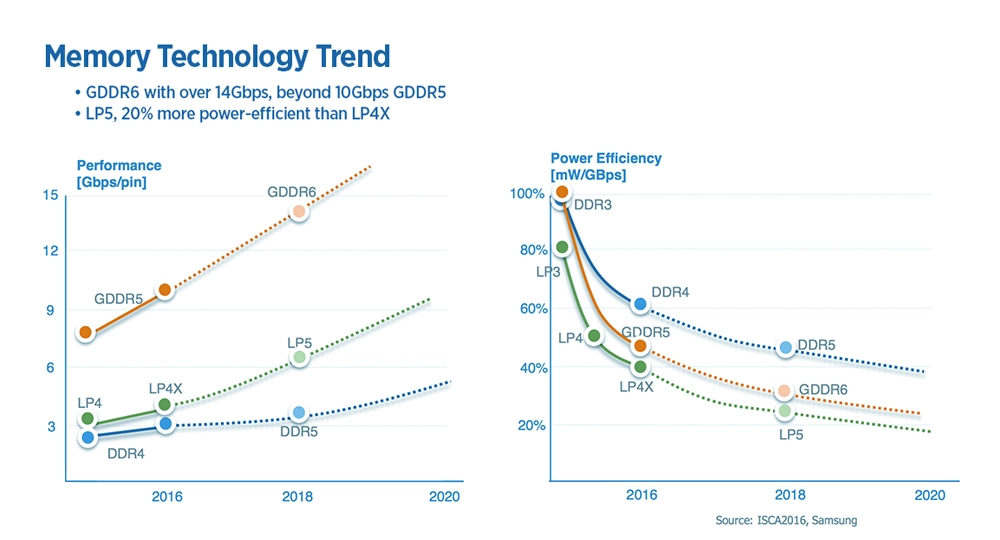
DDR memory provides the low-latency responsiveness that CPUs need for general-purpose computing, while GDDR delivers the massive bandwidth required to keep GPU cores fed with data during parallel processing tasks.
Unified memory bridges CPU and GPU workflows by providing a shared address space, reducing manual data transfers, and streamlining workloads that have prolonged GPU and CPU memory saturation, such as AI and data analytics.
If you have questions about memory configurations, GPU workstations, or how to optimize your hardware for specific workloads, our team at Exxact Corporation is here to help. Whether you're designing a system for AI training, scientific computing, or high-performance rendering, we can guide you through selecting the right memory architecture and hardware components for your needs.
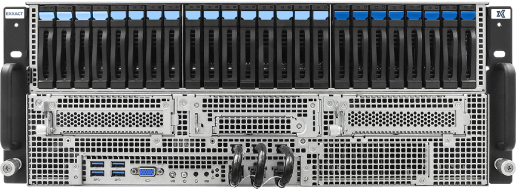
Accelerate your workload exponentially with the right system optimized to your use case. Exxact 4U Servers are not just a high-performance computer; it is the tool for propelling your innovation to new heights.
Configure NowDDR stands for Double Data Rate, and GDDR stands for Graphics Double Data Rate. However, DDR and GDDR are completely different technologies—they don't share the same standards for speed, bandwidth, or other specifications. DDR is developed for CPUs (and CISC architectures), while GDDR is designed for graphics (and RISC architectures).
The full name GDDR7 SDRAM stands for Graphics Double Data Rate Type 7, Synchronous Dynamic Random-access Memory. Both DDR and GDDR use SDRAM—the foundation of memory used in desktops (UDIMM DDR5), in laptops (SODIMM DDR5), low-power devices (LPDDR5), and graphics processing units (GDDR6, GDDR6X, and GDDR7 in both NVIDIA and AMD GPUs).
Recent developments have introduced unified memory, a software abstraction that allows both CPU and GPU to share a memory pool. Popularized by Apple Macs, AMD APUs, and NVIDIA Grace, unified memory can use DDR or HBM memory. Unified memory is now used in the popular NVIDIA DGX Spark.
DDR (Double Data Rate) memory is the primary system RAM used by CPUs. Unlike GDDR (optimized for bandwidth), DDR is designed for low latency, ensuring the CPU can access data and instructions as quickly and responsively as possible. This makes DDR ideal for running applications, managing the operating system, handling interrupts, and coordinating GPU workloads.
While CPU memory doesn’t reach the extreme transfer rates of GDDR or HBM, its strength lies in its ability to respond rapidly to a wide variety of small, random access patterns typical of general-purpose computing.
These design choices ensure the CPU is never waiting long for data it needs to execute instructions, manage threads, or coordinate system resources.
DDR provides several key benefits that directly affect everyday computing and workstation performance:
| DDR Generation | CAS Latency | Frequency | Absolute Latency |
| DDR4 | CL16 | 3200 MT/s | 10ns |
| DDR4 | CL18 | 3600 MT/s | 10ns |
| DDR5 | CL38 | 5200 MT/s | 14.6ns |
| DDR5 | CL40 | 6000 MT/s | 13.3ns |
| DDR5 | CL32 | 6400 MT/s | 10ns |
GDDR (Graphics Double Data Rate) is a memory architecture designed specifically for the high-bandwidth demands of modern GPUs. While it shares the SDRAM foundation with DDR system memory, GDDR is optimized for throughput, not latency. This makes it ideal for graphics rendering, massively parallel math operations, and data-heavy GPU compute tasks.
Unlike DDR, which prioritizes quick, low-latency access for CPUs, GPUs require extremely large amounts of data to be moved every second. GDDR achieves this by using wider buses, faster signaling, and higher sustained bandwidth, enabling GPUs to feed thousands of concurrent processing cores without stalling.
This design ensures that pixel data, textures, model parameters, and compute workloads flow to the GPU cores without bottlenecking performance.
Unified Memory is not a new memory type like DDR or GDDR. Instead, it is a shared memory architecture and software abstraction that allows the CPU and GPU to operate on the same memory space without requiring the application to manually copy data back and forth.
Unified Memory removes this explicit memory transfer bottleneck, where data must be copied from system RAM (DDR/LPDDR) to GPU VRAM (GDDR/HBM) before the GPU can process it. Unified Memory presents CPU RAM and GPU VRAM as a single, unified address space. Under the hood:
Unified Memory offers benefits in both development and real-world performance:
DDR memory provides the low-latency responsiveness that CPUs need for general-purpose computing, while GDDR delivers the massive bandwidth required to keep GPU cores fed with data during parallel processing tasks.
Unified memory bridges CPU and GPU workflows by providing a shared address space, reducing manual data transfers, and streamlining workloads that have prolonged GPU and CPU memory saturation, such as AI and data analytics.
If you have questions about memory configurations, GPU workstations, or how to optimize your hardware for specific workloads, our team at Exxact Corporation is here to help. Whether you're designing a system for AI training, scientific computing, or high-performance rendering, we can guide you through selecting the right memory architecture and hardware components for your needs.
Accelerate your workload exponentially with the right system optimized to your use case. Exxact 4U Servers are not just a high-performance computer; it is the tool for propelling your innovation to new heights.
Configure Now